A word processor for the Mac · v1.0.39
A word processor. A place to write.
You open it. You write. That’s the whole thing. Opens .docx without changing it, and never asks you to sign in.
A word processor for the Mac · v1.0.39
You open it. You write. That’s the whole thing. Opens .docx without changing it, and never asks you to sign in.
Thirty-four releases since launch. Not built in a day — revised like a manuscript.

Brighton · 2026
I wrote a lot in Word, and then I wrote a lot in the things that were supposed to replace it. The replacements were lighter, but they all wanted something: a subscription, an account, a folder structure, a format of their own.
What I wanted was a Mac app that opened the .docx someone emailed me, let me work on it, and gave it back to them unchanged apart from the edits. That is a small ask and nothing was doing it.
So I built Verso. It is a word processor, which is an unfashionable thing to make, and it does the unfashionable part properly: your document opens, keeps its formatting, and saves back to the file it came from.
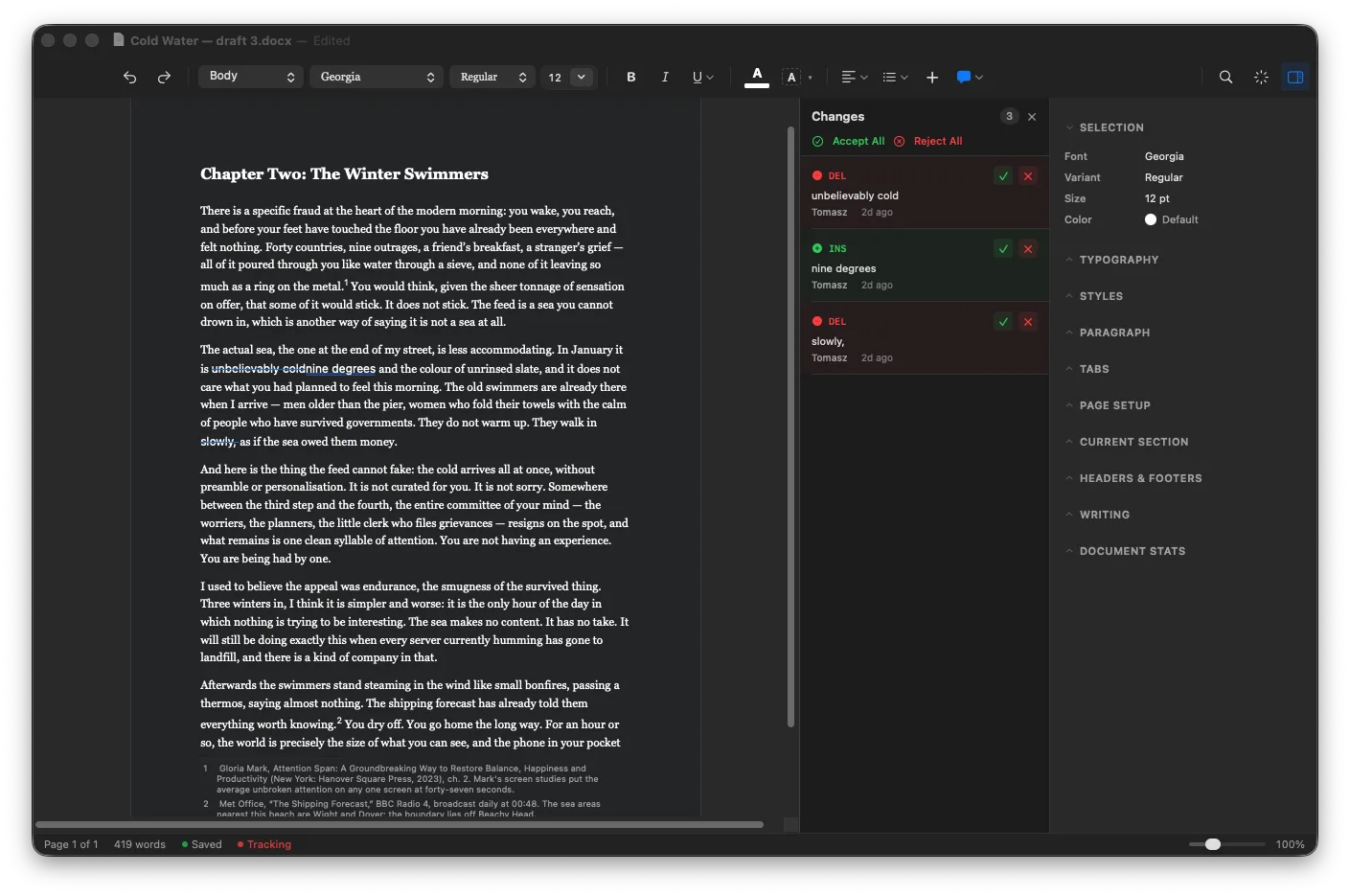
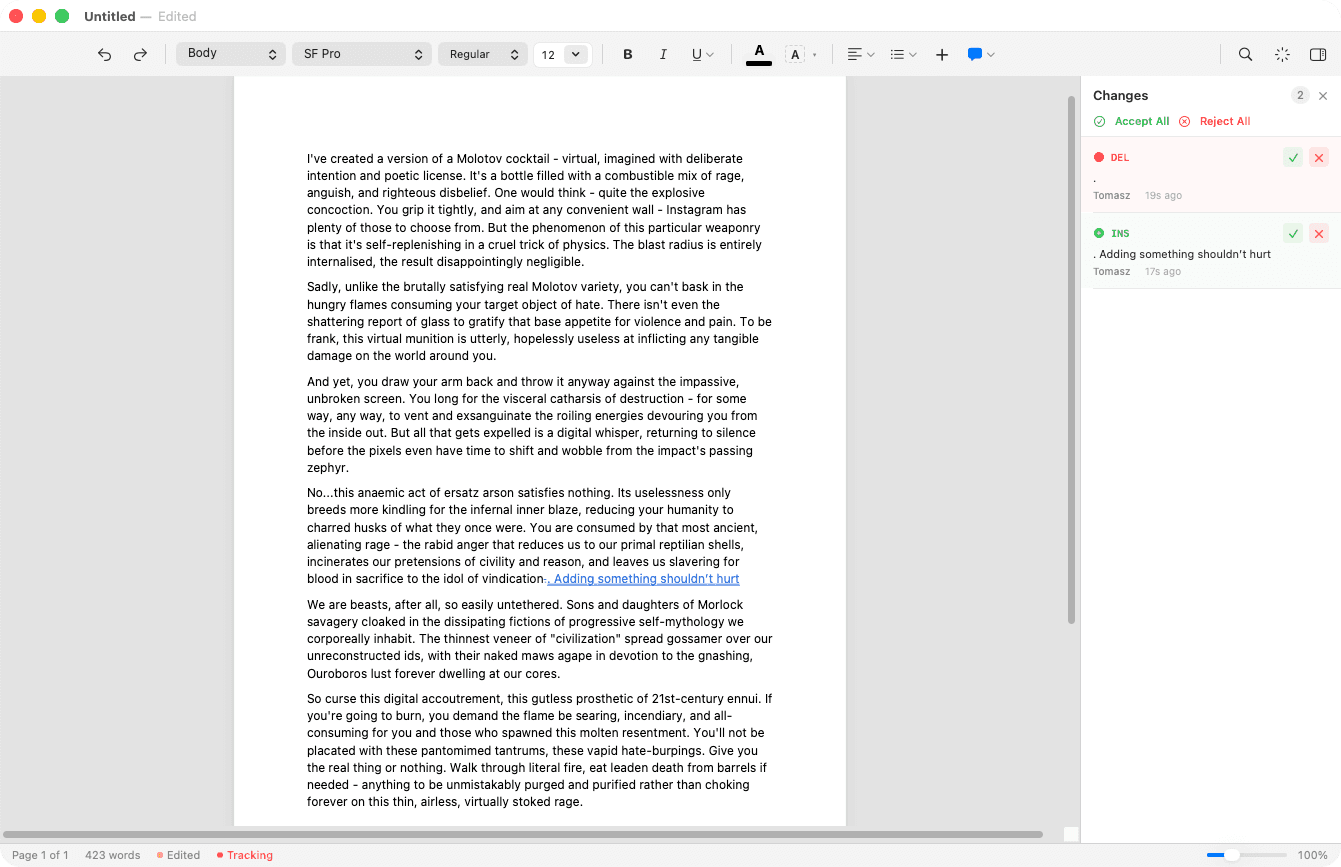
Page colour: Sepia. One of five, and the only one on this site.
Swift and AppKit. Not wrapped in a browser, not ported from Windows.
Opens and saves Word files directly. No import step, no export step.
Everything stays on your Mac. No sync, no login, no cloud.
8.4 MB download. Launches instantly.
Word wants a subscription. Pages converts your document into its own format and hands it back changed. TextEdit stops at bold and italic. The lighter apps are lovely, and none of them will open the file your editor just emailed you.
Verso opens the .docx, edits it, and saves it back to itself. What Verso does not implement it leaves untouched rather than dropping, so the document survives the trip.3


One shortcut takes the application away. The toolbar goes, the sidebar goes, and the paragraphs around the one you are writing dim until they stop competing for attention.
What is left is a page and a cursor, and an esc to exit in the corner in case you want the room back.
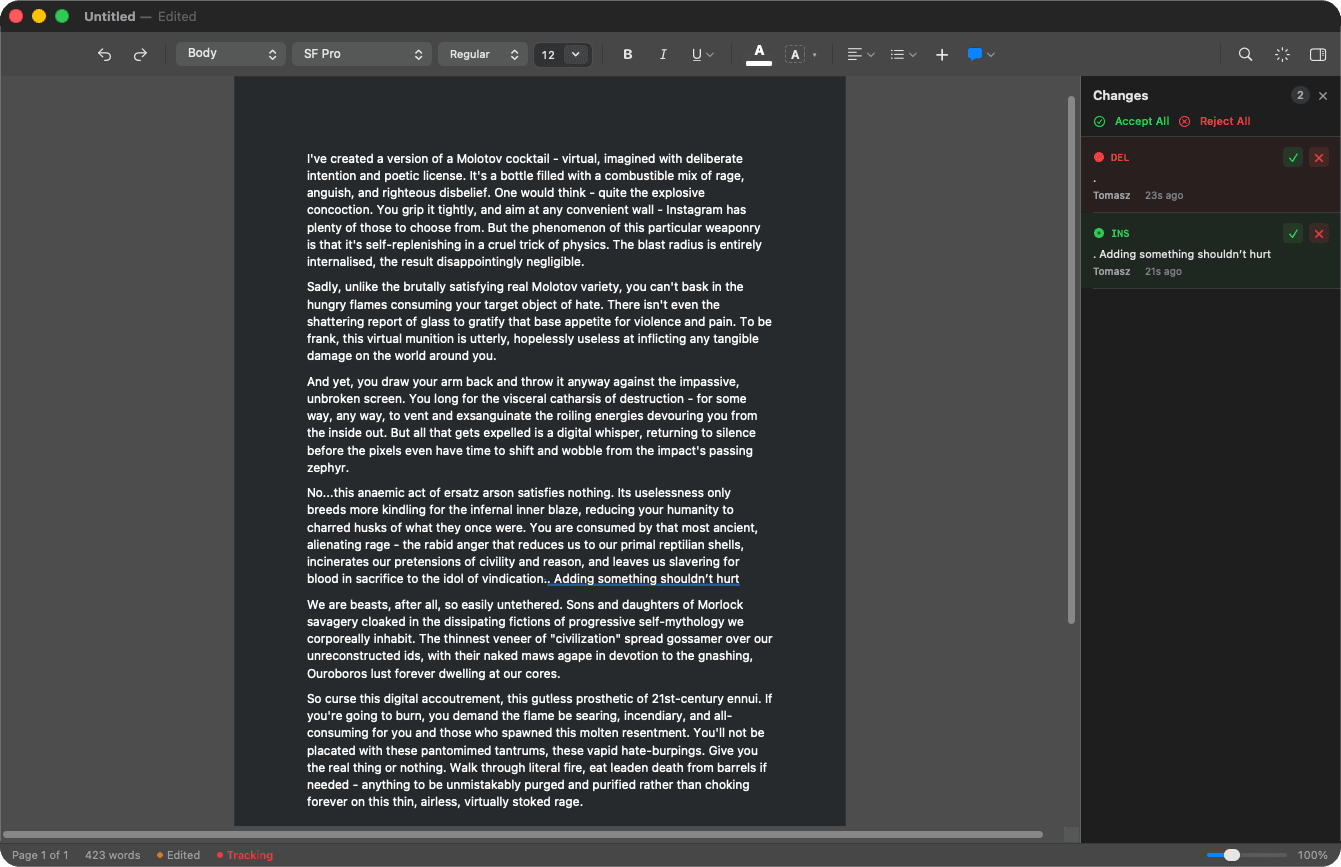
Insertions, deletions and comments, by author, with a Changes panel that shows what moved and lets you accept or reject it. Written to .docx the way Word writes it, so the person you send it to sees the same edits in the same colours.
One shortcut. The toolbar goes, the sidebar goes, the surrounding paragraphs dim, and the sentence you are writing stays lit. Escape brings the room back.
Write in Markdown and save as .docx, or open a .docx and export it as Markdown. Mermaid diagrams and LaTeX maths render live rather than sitting in the file as unreadable source.
Index
| App | Price | Five years |
|---|---|---|
| Microsoft 365 PersonalWord is not sold separately in this plan | $99.99a year | $499.95 |
| Ulysses | $49.99a year | $249.95 |
| iA WriterMac only | $49.99once | $49.99 |
| VersoAll updates included | $14.99once | $14.99 |
Word pricing via Microsoft 365 Personal.2 Download sizes from the same source on the same day.1
Verso is written by one person and shipped in the open.4 It does not yet do everything you would expect from a word processor, but it gets better every week. If something feels off, I want to hear about it.
8.4 MB · macOS 14 or later · Apple silicon and Intel · signed and notarised by Apple6